Dynasort has always known which products in your catalog are performing. Now that data lives on your products — available to every tool in your stack, updated every hour.
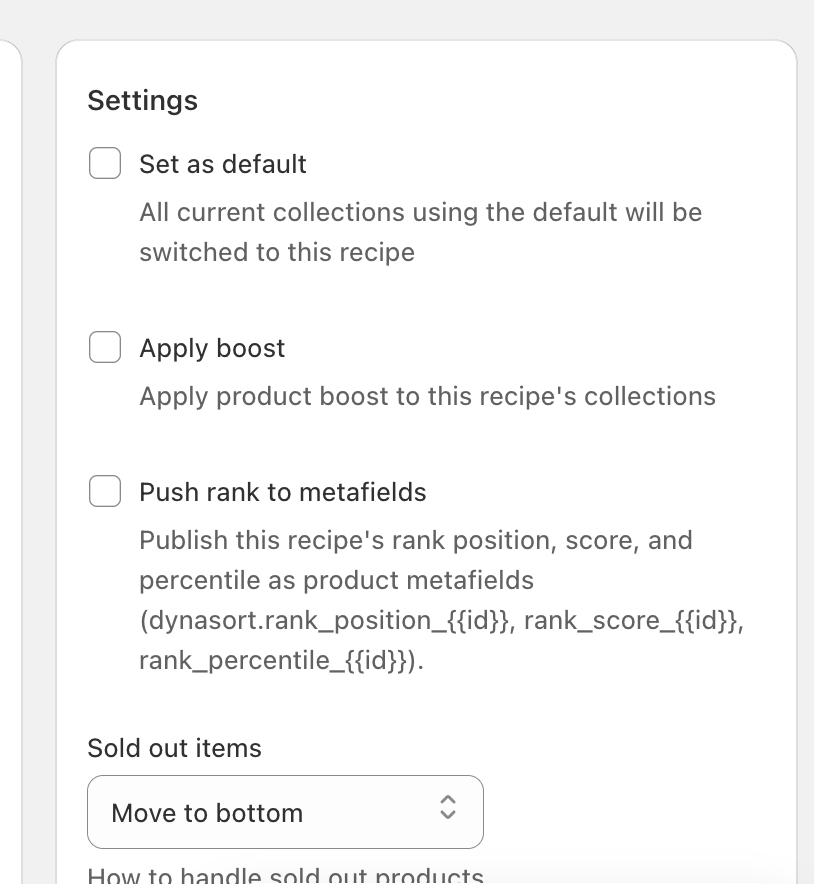
Rank Metafields is a new Enterprise feature that writes live product ranking data to your Shopify store as native metafields. No custom API work, no third-party integrations, no developer gymnastics. The data just shows up where your products live and works with everything Shopify already supports.
What Gets Written
For every product in your catalog, Dynasort writes three values:
dynasort.rank_position is your product’s numeric rank within the catalog. Position 1 means this product scores highest according to your sorting recipe. Higher numbers mean lower relative performance.
dynasort.rank_score is the raw weighted composite score that your sorting recipe generates — a combination of revenue, margin, inventory velocity, conversion rate, review scores, and any custom attributes you have configured. This is the actual number Dynasort uses to rank products internally, now surfaced on the product itself.
dynasort.rank_percentile is a 0 to 100 score where 100 means top of catalog and 0 means bottom. This is the number most useful for display logic, conditional rules, and customer-facing copy — it is intuitive to read and easy to build against.
All three are standard Shopify number_integer metafields in the dynasort namespace. They behave identically to any other Shopify metafield, which means they work with themes, Shopify Flow, third-party apps, headless storefronts, and any other system that reads product data.
What You Can Build With It
Theme-level badges and labels. Use metafield-aware theme blocks to display “Top 10% This Week,” “Ranked #3 in Running Shoes,” or any rank-based label on product cards and product detail pages. No developer required after initial setup — the data updates itself.
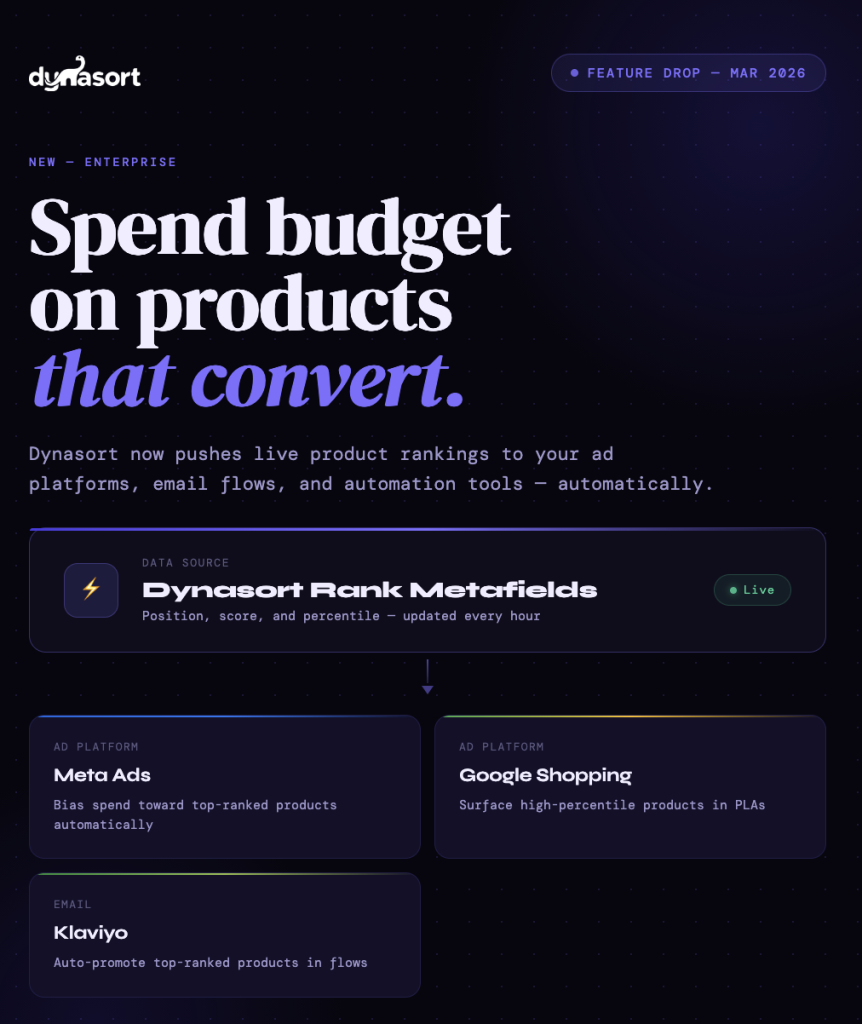
Email and SMS personalization. Feed rank percentile into Klaviyo, Omnisend, or any other email platform that reads Shopify product data. Automatically promote products that have climbed into the top tier of your catalog. Stop manually curating “best of” product blocks — let rank data do it.
Smarter ad spend. Pipe rank data into your Google Shopping feed or Meta product catalog to bias spend toward products your algorithm already knows convert. If a product is ranking in the top 20% of your catalog, it is probably worth more ad budget than one sitting at the bottom.
Shopify Flow automations. Trigger workflows based on rank changes. Tag products that fall below the 20th percentile for review. Alert your team when a new product breaks into the top 10. Auto-apply or remove “Trending” tags as rank percentile changes.
Headless and custom storefronts. Sort product grids client-side using pre-computed rank data without making real-time API calls. Build custom “Staff Picks” or “Best Sellers” sections that automatically refresh as rank data updates. Feed percentile into personalization engines or recommendation widgets.
Multi-Recipe Support for Enterprise
Enterprise stores running multiple sorting recipes can opt in per-recipe. Each recipe you opt in adds three metafield keys per product, using the recipe ID as a suffix: rank_position_91, rank_score_91, rank_percentile_91 for recipe 91, and separate keys for each additional recipe.
A store running a “Best Sellers” recipe and a “New Arrivals” recipe gets a complete, multi-dimensional ranking profile on every product — making it possible to build themed sections (“New and Trending,” “Value Picks”) where each uses a different recipe’s data.
Technical Details
Metafields are written via Shopify’s metafieldsSet GraphQL mutation in batches of 24, respecting API rate limits. Data refreshes every hour at :30 past the hour, automatically, with no manual action needed after opt-in. All active, draft, and archived products are covered. Products that have been deleted from Shopify but remain in Dynasort’s catalog are automatically excluded.
Availability
Rank Metafields is an Enterprise feature, available now. Merchants on Demo, Basic, and Pro plans will see the option in their recipe settings clearly marked as Enterprise — so you know exactly what you are unlocking when you upgrade.
Questions or feedback: hello@dynasort.io or in-app chat.