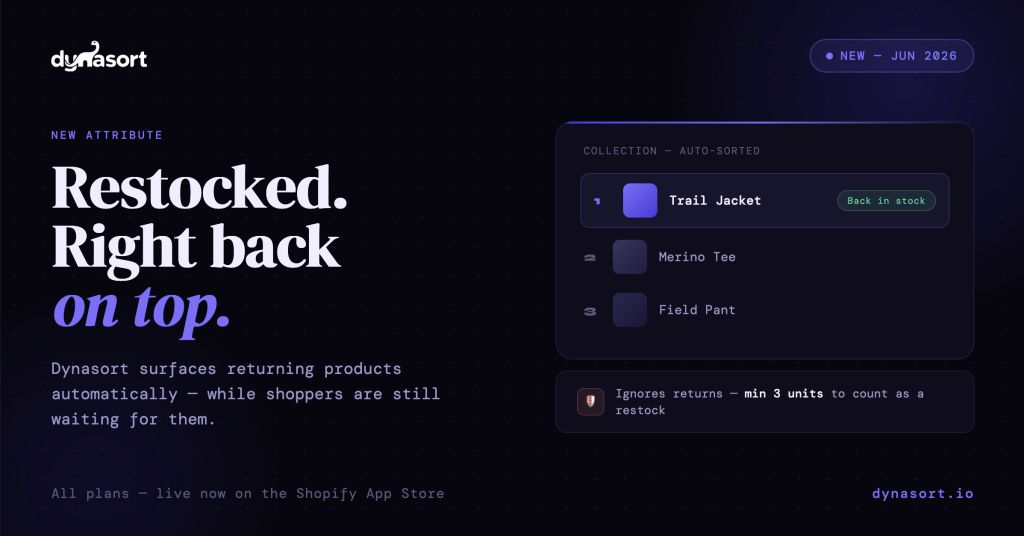
When a product sells out, the demand for it doesn’t sell out with it. Shoppers saw it, wanted it, and left. That demand is still there, waiting. The question is whether your store does anything useful with it when the product comes back.
For most stores, the answer is no — and not because anyone decided that. It’s just what happens by default.
### The problem nobody has time to solve
While a product is out of stock, it tends to sink in your collection’s sort order. It’s not selling, it’s not converting, so whatever logic orders your collection pushes it down. That’s reasonable while it’s unbuyable.
The trouble is what happens when it returns. The product comes back in stock and lands wherever it sank — often several pages deep. So at the exact moment back-in-stock demand is highest, your returning bestseller is facing the shoppers least likely to ever see it.
The fix has always been manual: remember that the product restocked, go into the collection, and pin it to the top. Then do that for every collection it belongs to. Then do it again for the next product that restocks, and the next. Across a real catalog, nobody keeps up with this. The restock window quietly passes with the product buried.
### What the Back In Stock attribute does
Back In Stock is a new Dynasort attribute that detects when a product returns to stock and automatically boosts it in your sorted collections for a window you choose, anywhere from 24 hours to 90 days.
Dynasort continuously monitors inventory levels and records a restock event whenever an item crosses from out of stock back to in stock. Any product with a recent qualifying restock gets the attribute’s full boost in any recipe that includes it. No tagging, no manual pinning, no spreadsheets, no remembering.
### The returns filter: the part that matters
Here’s the detail that separates this from a naive implementation.
A customer return puts a unit or two back on the shelf. Technically, that takes a product from zero units to “in stock” — which means a simple back-in-stock boost would fire on it. You’d end up promoting a product that has two returned units and is, for all practical purposes, still sold out. Worse, it would happen constantly, on every minor return across your catalog.
Dynasort handles this with a minimum restock quantity setting, defaulting to 3 units. A restock smaller than that threshold is ignored. Only genuine replenishments — the kind that mean a product is actually buyable again — trigger the boost.
This is the kind of logic you only think to build if you’ve actually lived with inventory data. “Back in stock sorting” is easy to claim. Not firing on a single returned unit is the part that proves the feature was built by people who understand how stock really moves.
### You decide what “back” means
There are two detection modes.
Entire product back in stock fires when a product that was completely sold out has stock again. This is the default, and it matches what most shoppers mean when they say something is “back.”
Any variant back in stock fires when an individual variant returns — a popular size, a sold-out color. This is useful for stores where a single variant coming back is itself worth promoting.
Configuration is three fields in total: the timeframe (how recent the restock must be), the detection mode (entire product or any variant), and the minimum restock quantity (the returns filter). That’s the whole setup.
### One signal, two surfaces
Because Back In Stock is a standard Dynasort attribute, it works everywhere attributes work.
Inside a recipe, it’s weighted alongside everything else you sort by — sales, margin, newness, clicks, behavioral signals. A restocked product that shoppers were already viewing and adding to cart gets compound priority, surfacing for exactly the reasons you’d want it to.
As a Managed Collection condition, it lets you build a self-maintaining “Back In Stock” collection on your storefront. You set it up once with a single condition: products join the collection when they restock and drop out automatically as the event ages past your window. It’s a merchandising surface that maintains itself.
You can also layer recency. Stack a high-weight 7-day instance with a low-weight 30-day instance, and the boost steps down gracefully as the restock ages — strong while the product just came back, tapering as the moment cools.
### A few honest notes
Detection follows your store’s regular data sync schedule, so a restock is reflected within minutes to about an hour, not literally the instant it happens. Restock history starts accumulating from June 2026, which means the longest windows (60 and 90 days) reach full usefulness once that much history has built up. And products that don’t track inventory in Shopify never trigger the attribute, which is the correct behavior but worth knowing.
### Available now
The Back In Stock attribute is live today on all plans, as a standard attribute. Add it to a recipe, or use it as a Managed Collection condition — or both.
Questions or feedback: hello@dynasort.io or in-app chat.
—
*Install Dynasort free on the Shopify App Store at [dynasort.io](https://dynasort.io)*