Sales data is the gold standard for sorting products. It’s also sparse and slow.
A typical collection might convert a handful of times a week. That’s not enough signal to confidently rank forty products against each other — you’d be sorting on noise. So merchants either wait for sales data to slowly accumulate, or they sort on something else and hope.
Meanwhile, shoppers are voting constantly, with a much faster signal: what they click. The new Most Clicked Products attribute turns that signal into sort order. And it does something no Dynasort attribute has done before.
### Every collection, its own ranking
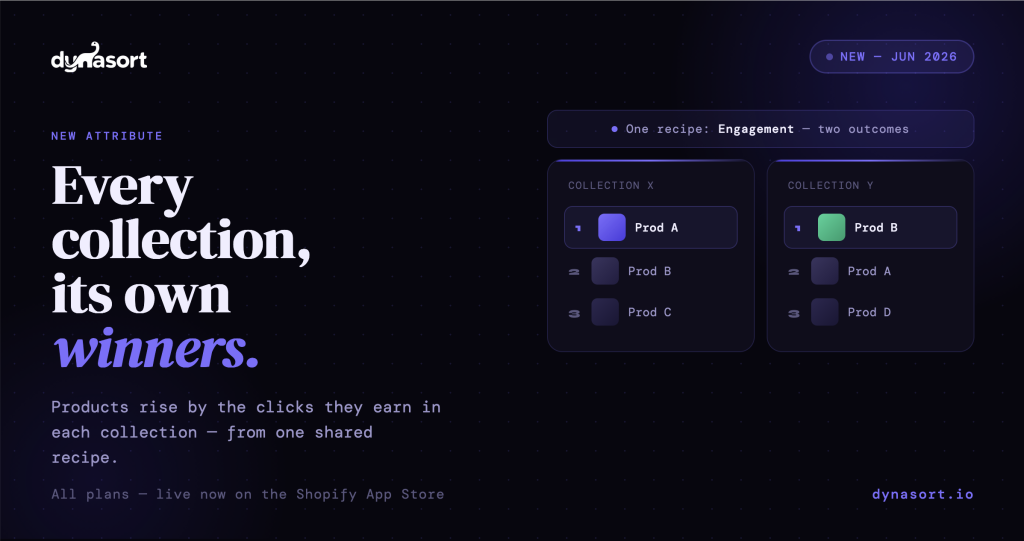
This is the first Dynasort attribute that scores differently in every collection, even when those collections share the same recipe.
That’s worth sitting with for a second, because most “sort by popularity” features treat popularity as one store-wide number. Every collection inherits the same global list. But the same product can be a star in one collection and wallpaper in another, and a single popularity score can’t capture that.
Here’s a concrete example. Collection X and Collection Y both run your “Engagement” recipe. In Collection X, Product A is the most-clicked item. In Collection Y, Product B leads. With Most Clicked Products in the recipe, Product A rises to the top of X while Product B rises to the top of Y — automatically, from that one shared recipe. You don’t build two recipes. You build one, and each collection adapts to its own audience.
### How the scoring works
The merchant picks two things: a timeframe (24 hours to 90 days) for the click-counting window, and how many top products earn points (default 10). The collection’s click leader gets the attribute’s full point weight, second place gets a bit less, and so on down to the last qualifying spot. With the default top 10, first place earns 100% of the points, second earns 90%, sliding to 10th at 10%. Everything below the top 10 earns nothing from this attribute.
Crucially, points scale by rank, not by raw click counts. This is a deliberate design choice, and it solves a real problem.
Raw clicks vary wildly between collections. A niche collection’s leader might get 40 clicks in a month while a flagship collection’s leader gets 4,000. If you scored on raw counts or fixed thresholds, you’d have to tune the attribute differently for every collection, and a single runaway product could flatten all the meaningful differences among everything below it. Rank-based scoring sidesteps all of that. It behaves identically in the niche collection and the flagship, with nothing to configure per collection, and the relative ordering stays meaningful no matter the absolute volume.
### A trending collection that maintains itself
As a Managed Collection condition, the attribute (there called Product Clicks) uses a product’s total clicks across your whole store. That makes a “Trending Now” collection a one-condition setup: for example, products with more than 50 clicks in the last 7 days. Products join the collection as they gain attention and drop out automatically as that attention fades. It’s a storefront merchandising surface that tracks this week’s demand without anyone touching it.
### Where it shines
The most obvious win is for stores with lower sales volume. Clicks accumulate far faster than orders, so your sorting gets smart long before sales data could tell you anything reliable. If you’ve been frustrated that sales-based sorting feels random on your smaller collections, this gives those collections a dense signal to work with.
It’s also a merchandising blind-spot finder. The product you assume is your hero, versus the product shoppers actually click, are not always the same thing, and this attribute surfaces the gap. And with a short window like 7 days, your collections follow seasonal demand automatically, leaning into a holiday as interest builds and easing back out as it passes.
### An honest word on feedback loops
There’s a dynamic worth being upfront about: clicks at the top of a collection tend to beget more clicks. A product that’s surfaced gets seen, gets clicked, and that click reinforces its position. Left unchecked, that can become a feedback loop where early attention compounds into permanent placement regardless of merit.
The right way to use this attribute is as one input among several, not the whole sort. Balance it with merchandising attributes like margin, inventory, and newness. Engagement is valuable information about what your shoppers find interesting, but it works best when it informs the sort rather than dictating it. Sophisticated merchants will recognize this immediately, and the attribute is built to be weighted alongside everything else precisely so you can strike that balance.
### A few more notes
Click data updates periodically through the day, not in real time, so expect influence within hours rather than instantly. Brand-new or very low-traffic collections have no click history yet, so the attribute contributes nothing there until shoppers arrive — your other recipe attributes carry the sort in the meantime.
### Pairs with Back In Stock
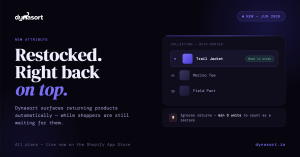
Most Clicked Products shipped the same day as the Back In Stock attribute, and they’re natural partners. One captures attention, the other captures availability. Used together, your collections stay both interesting and buyable: the products people are clicking rise, and the products that just came back in stock rise, so shoppers see things they want and can actually buy.
### Available now
Most Clicked Products is live today on all plans, as a standard attribute. Add it to a recipe to give each collection its own audience-driven ranking, or use it as a Managed Collection condition to build a self-maintaining trending collection.
Questions or feedback: hello@dynasort.io or in-app chat.