There’s a setting in Dynasort that almost everyone configures once and then forgets forever. We just made it maintain itself.
What min and max actually do
Every numeric attribute you use for sorting has a minimum and a maximum value. These two numbers do more work than they appear to.
When Dynasort scores a product, each attribute’s raw value gets normalized into a 0 to 1 contribution. The min is the floor and the max is the ceiling: a product at or below the min contributes 0, a product at or above the max contributes 1, and anything in between is interpolated linearly. For attributes where lower is better, like bounce rate or exits, the score is inverted.
This is a clean, standard way to turn wildly different metrics — revenue in dollars, conversion rate as a percentage, inventory as a count — into comparable scores that can be weighted and combined. But it only works well if the min and max reflect your actual catalog. Set the revenue ceiling too low and half your products max out at a score of 1, flattening the signal. Set it too high and nothing ever approaches the top, compressing everything toward zero.
The problem nobody revisits
Here’s what happens in practice. During setup, you configure your attributes and set reasonable min/max values, often using the recommendation Dynasort already shows next to each field. Then you move on. The store runs. Months pass.
In those months, your catalog grows. Your traffic patterns shift. Your best-selling products change. The revenue distribution that made sense in October looks nothing like the one in March. But those min/max values are still sitting where you left them, quietly calibrated to a version of your store that no longer exists.
Nothing breaks, exactly. The sorting still runs. But it’s running on stale calibration, and the further your data drifts from those original numbers, the less your scores mean.
The fix used to be manual: go back into each attribute, look at the current recommendation, and copy the new numbers into the fields. Almost nobody did this regularly, because it’s the kind of maintenance task that’s easy to forget and hard to prioritize.
Check a box, and it’s handled
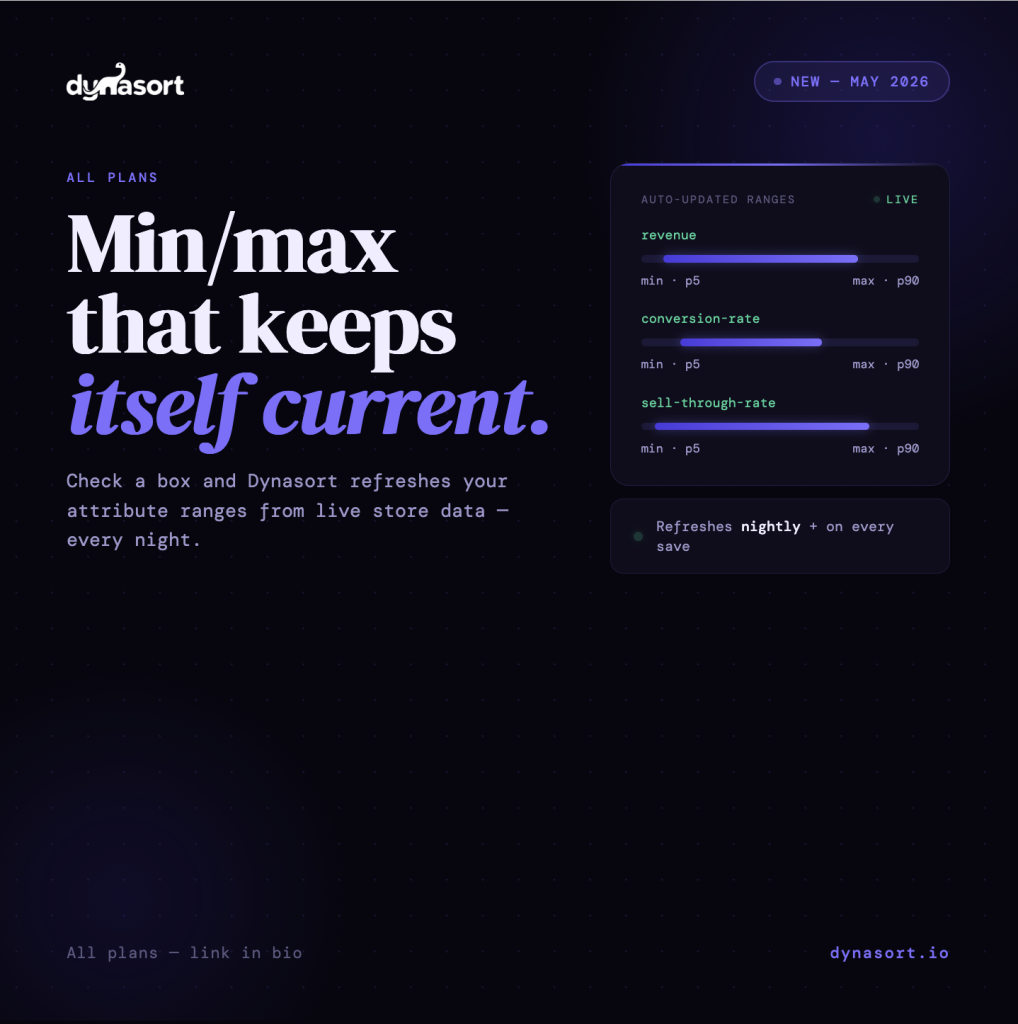
Now there’s a simpler option. On any numeric attribute, you’ll find a new checkbox labeled “Auto-update from recommendations,” with help text that reads “Refresh minimum and maximum from data each day.”
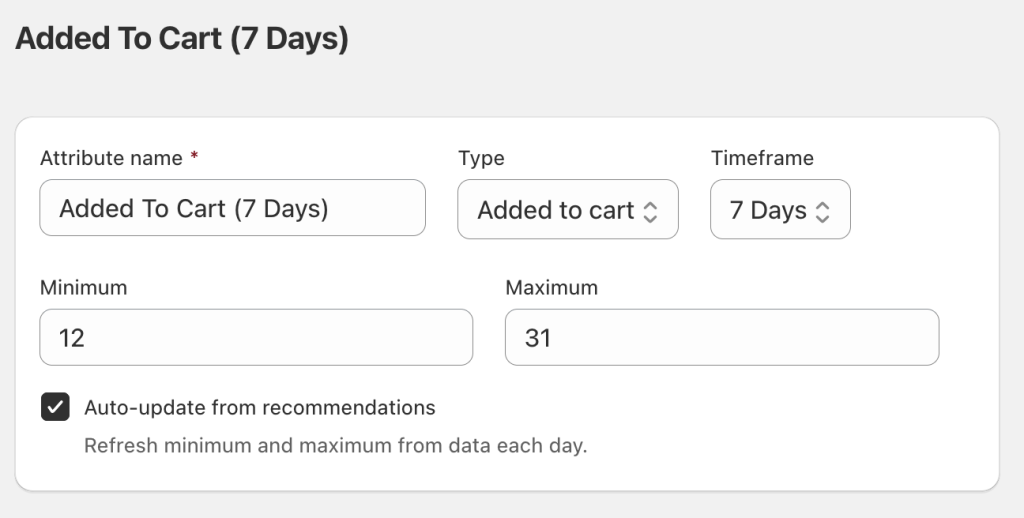
Check it and save. Two things happen.
First, Dynasort immediately recomputes that attribute’s min and max from your current store data and applies them. Second, from that point forward, a nightly process keeps them in sync automatically. You don’t approve each update — opting in is the approval. The values simply stay current.
The recommendation logic is the same one Dynasort has always used for its on-screen suggestion: the floor is set at the 5th percentile of your product distribution, and the ceiling at the 90th percentile. This trims outliers on both ends so a single extreme product doesn’t distort the whole range. For traffic-derived attributes like conversions, sales, and cart adds, the distribution comes from your recent data window. For static catalog attributes like inventory, margin, and product age, it comes from your product data directly.
Built to be conservative
This feature changes values automatically, so we designed it to be cautious by default.
It only touches attributes you explicitly check. Every other attribute stays exactly as you set it. It only changes min and max — never your weights, your attribute status, or any other setting. There are guardrails on every update: if a recommendation would produce an inverted range (min greater than max) or an invalid value, the write is skipped. And when there isn’t a usable recommendation for one side of the range, your existing value on that side is preserved rather than blanked out.
Everything is computed from data already inside Dynasort. There are no external API calls, and nothing is pushed to Shopify as part of this feature. It’s purely an internal recalibration of the numbers your sorting already depends on.
What it covers
Auto-update works on 20 numeric attribute types. That includes traffic and event-derived metrics — cart adds, cart rate, bounces, bounce rate, conversions, conversion rate, exits, exit rate, product views, revenue, sales, and sell-through rate — as well as static catalog values like inventory quantity, per-location inventory, product margin, discount amount, discount percent, age of newest variant, days since created, and days since published.
Attributes that aren’t numeric ranges — booleans, metafields, product tags, options, and similar — don’t have min/max values, so the checkbox doesn’t appear for them.
You can see the status of every attribute at a glance on the attributes index, where a new “Auto” column shows a green On badge for enabled attributes, a grey Off badge for eligible ones you haven’t enabled, and nothing for attribute types that don’t support it.
Available now, every plan
This is live today on every Dynasort plan, from Demo to Enterprise. There’s no upgrade required and no add-on. Open any numeric attribute and you’ll find the toggle directly below the min and max fields.
Set it once, and stop thinking about it. Which, for a maintenance task, is exactly the point.
Questions or feedback: hello@dynasort.io or in-app chat.