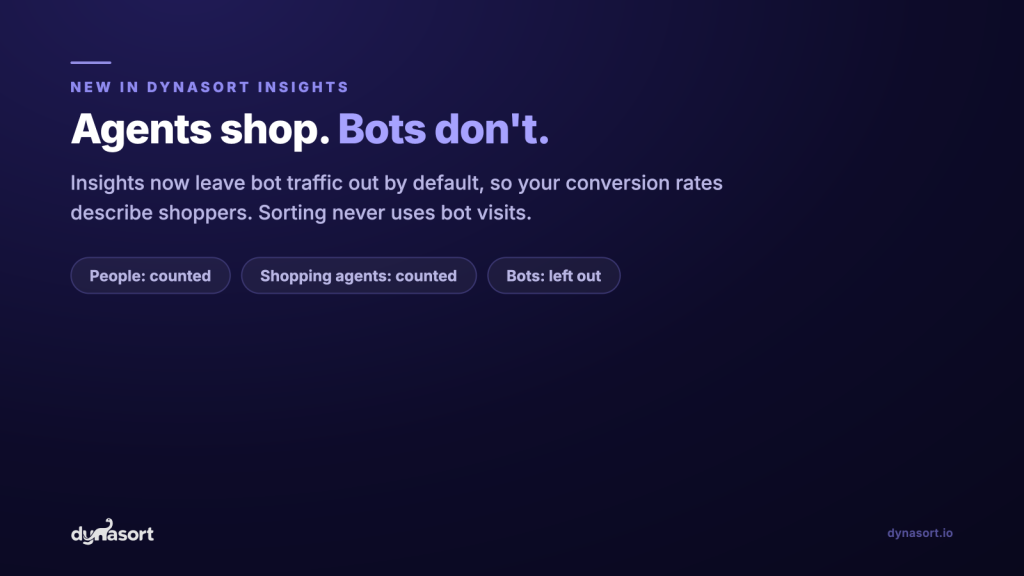
About one in six storefront sessions we measure across Shopify stores is a bot, and every one of them pads your session count and pulls your conversion rate down. As of October 13, 2026, Dynasort Insights leave bots out by default, keep shopping agents in, and never let bot visits touch your sort order. This post covers what the bots look like, how we tell an assistant that shops from a bot that doesn’t, and what changes on your Insights screen.
- On the first day of live classification, bots were roughly 15% to 18% of storefront sessions across the stores Dynasort runs on. On some stores they were more than half.
- One page-rendering farm alone produced more than 200,000 sessions in nine days, with zero add-to-carts.
- At one fashion store where bots were about 30% of sessions, collection conversion rate moved from 0.27% to 0.39% once they were removed. Same orders, honest denominator.
- Dynasort Insights now count Shoppers by default: people plus shopping agents. People only and All traffic are one setting away.
- Sorting never uses bot visits, whatever you choose. Bot filtering is on for every store, on every plan.
Why Is There Bot Traffic in Your Shopify Analytics?
Because the bots that matter don’t announce themselves. Most analytics tools filter the ones that do: search engine crawlers say who they are, and they are easy to drop. The expensive bots are scrapers watching your prices, rendering services that load full pages in a real browser engine, monitoring tools and link checkers. They run JavaScript, fire page views, and look like a visit.
They also never buy. So every bot session lands at the bottom of every rate you care about. Sessions go up, conversion rate goes down, add-to-cart rate goes down, and a collection that bots happen to crawl hard looks like it is failing.
This came to a head in early October 2026. A merchant sent us a GA4 report showing a surge in sessions that went nowhere. We traced it to a single rendering farm: the same browser build every time, a screen of exactly 1800×1125, and an outer browser window of 1808×1210. That window is bigger than the screen it runs on, which a real browser can’t do.
It wasn’t one store’s problem. Because we see every store we serve, we could follow that one fingerprint across the network, day by day.
One rendering farm, nine days
Sessions per day from the 1800×1125 fingerprint across the stores Dynasort serves, October 5 to 13, 2026.
20.6k
Oct 5
27.4k
Oct 6
20.0k
Oct 7
15.8k
Oct 8
26.8k
Oct 9
24.0k
Oct 10
23.4k
Oct 11
24.7k
Oct 12
26.3k
Oct 13
October 5 starts at midnight, the day the farm first showed up in volume. October 13 runs to the evening of the day filtering went live.
One merchant looking at their own analytics sees a traffic spike. Looking across the network, it is plainly one bot.
What Does Bot Traffic Do to Your Conversion Rate?
It sinks it. A bot session adds to the denominator and never to the numerator. Take one fashion store from that week: bots were about 30% of its sessions. With them counted, its collection conversion rate was 0.27%. With them removed, 0.39%. Its cart rate moved from 1.30% to 1.85%.
One fashion store, before and after bot filtering
October 6 to 12, 2026. Bots were 29.6% of sessions. Orders and carts are identical in both rows.
Collection conversion rate
Cart rate
Nothing about the store changed. The rate stopped counting visitors who were never going to buy.
The same goes for every comparison you make. If one collection gets crawled twice as hard as another, its conversion rate looks worse for reasons that have nothing to do with the products on it. Removing bots makes collections comparable again.
What Changed in Dynasort Insights?
Every storefront session Dynasort measures now gets one of three labels, and Insights count the first two by default.
| Label | What it is | Counted in Insights by default | Used for sorting |
|---|---|---|---|
| Person | Someone shopping in a browser, however they arrived | Yes | Yes |
| Shopping agent | An assistant that browses and buys on behalf of a real person, such as ChatGPT’s agent | Yes | Yes |
| Bot | Crawlers, scrapers, page-rendering services, monitors | No | Never |
A fingerprint we identify as a bot today is also removed from the days it visited before we caught it, so Insights get cleaner after the fact, not only going forward.
How Does Dynasort Tell Shopping Agents From Bots?
By what they do at the cart. Shopping agents are new, and they are customers. When someone asks an assistant to find and buy a pair of running shoes, the assistant visits your store, browses a collection, and adds to cart on that person’s behalf. Filtering those visits out would hide real demand. So the hard part of this project wasn’t spotting automation. It was telling automation that shops from automation that doesn’t.
Our rule is short: agents shop, bots don’t. An agent exists to buy something for a person, so over time its traffic produces carts and checkouts. A bot never does.
A single store can’t apply that rule, because it only sees its own traffic. We can. Every day we group sessions by device fingerprint across every store we serve and compare what each fingerprint did with what it should have done at those stores’ normal add-to-cart rates.
The network test, one day
The 1800×1125 fingerprint on October 13, 2026: 23,223 sessions.
Carts expected
1,030
at the normal add-to-cart rates of the stores it visited
Carts produced
0
so the fingerprint is a bot, on every store, including past days
A fingerprint needs 200 or more sessions, zero carts, and at least 10 carts expected before the network test calls it a bot. A fingerprint that produces a cart anywhere is kept.
The network test sits alongside four other signals:
- Declared identity. Crawlers that name themselves are bots. Assistants that fetch a page live for a person, and say so, are agents.
- Signed agent requests. Some agent operators sign their requests using Web Bot Auth, so we can check who sent them. A signature from a known shopping-agent operator marks an agent.
- Impossible browser geometry. A browser window bigger than its screen, a window with no screen, or the square screens headless browsers ship with. We allow for rotated tablets and the quirks of phone browsers.
- Hosting networks. People rarely shop from a data center. A session from a hosting network with almost no activity counts against it; the same session with a cart counts as a shopping agent.
One honest limit: an assistant that hides what it is and browses without ever buying looks exactly like a scraper, so we count it as a bot. It produced no shopper outcome, so leaving it out doesn’t hide a sale.
What Will You See in Insights?
Cleaner numbers, a line telling you how much was left out, and a setting if you want a different view. There is nothing to turn on.
Traffic in Insights
Choose which visits your Insights numbers count. Bots are crawlers, scrapers and monitoring tools that never shop.
Count these sessions
People plus shopping agents, the assistants that browse and buy for a person. Bots are left out.
Leaves out bots and shopping agents.
Counts every visit, bots included, like raw pageview tools.
Settings > Traffic in Insights, and the line that appears on Insights. Session figures in the Insights line are illustrative.
- Your numbers count shoppers. Sessions, conversion rate, add-to-cart rate, exits and bounces now count people and shopping agents.
- A marker on your timeline. The day bot filtering started is marked, so a step up in conversion rate there is easy to read.
- A setting if you want a different view. Settings > Traffic in Insights offers Shoppers (the default), People only, or All traffic, with your last seven days by type shown before you pick.
- Sorting doesn’t change with the setting. Your sort order never used bot visits and never will. The setting only changes what Insights display.
- A flag for traffic that doesn’t add up. If a collection’s sessions at least triple week over week while its cart rate falls by two thirds or more, Insights show “Traffic jumped without carts following”. That is the shape of a bot we haven’t identified yet, and it is worth a look.
Does Dynasort Store Shopper IP Addresses?
No. To recognize hosting networks we look at where each visit comes from, and we built that so we never keep the address itself. From each visit we keep the country, the network owner (for example, a home internet provider or a hosting company), a truncated address, and a one-way hash of the full address made with a key that changes every day and is deleted soon after. That is enough to spot one machine sending thousands of sessions today, and not enough to follow a person from one day to the next.
Country and network data come from IP Geolocation by DB-IP, licensed under CC BY 4.0.
Frequently Asked Questions
Does Dynasort count bot traffic in Insights?
No. Since October 13, 2026, Dynasort Insights leave bot sessions out by default. Sessions, conversion rate, add-to-cart rate and every other Insights number count people and shopping agents only. You can switch to People only or All traffic in Settings > Traffic in Insights.
Does bot traffic affect how Dynasort sorts my collections?
No. Dynasort sorting never uses bot visits, whatever you pick in the Insights traffic setting. Product views, cart adds and conversion rate used for sorting always come from people and shopping agents.
What is the difference between a shopping agent and a bot?
A shopping agent is an assistant that browses and buys on behalf of a real person, such as ChatGPT’s agent. A bot is a crawler, scraper or page-rendering service that never buys. Dynasort counts shopping agents as shoppers and leaves bots out. The short rule: agents shop, bots don’t.
How does Dynasort tell bots apart from shoppers?
Dynasort sees every storefront it serves, so it judges each device fingerprint by its behavior across the whole network. A fingerprint with many sessions and zero carts, where those stores’ normal rates would predict many carts, is a bot. Dynasort also uses declared identities, signed agent requests (Web Bot Auth), browser windows bigger than the screen they run on, and hosting-network signals.
Why did my conversion rate go up in Dynasort Insights?
Because bots no longer pad the session count. Your orders and carts did not change; the number they are divided by got smaller and more honest. At one fashion store where bots were about 30% of sessions, collection conversion rate moved from 0.27% to 0.39%. The Insights timeline marks the day bot filtering started.
Are older Insights days filtered too?
Days from October 6, 2026 on are filtered. Earlier days stay as they were, and the Insights timeline marks when filtering began so the change is easy to read.
Does Dynasort store shopper IP addresses?
No. Dynasort never stores a shopper’s raw IP address. It keeps the country, the network owner, a truncated address and a one-way hash that changes every day. Location data comes from DB-IP Lite, licensed CC BY 4.0.
Can a real shopper be counted as a bot by mistake?
A person who adds to cart or checks out is counted as a shopper unless the visit also carries strong automation evidence, like a declared bot identity. The one honest gap: an undeclared assistant that browses and never buys looks exactly like a scraper, so it is counted as a bot. It produced no shopper outcome, so leaving it out does not hide a sale.