Shopify product recommendations are the automated product suggestions shown on product pages, in the cart, at checkout and after purchase. Shopify generates them natively from product data and store-wide purchase patterns, and does a reasonable job out of the box. The gap is control: native recommendations cannot be ranked by your margins, your inventory position or your goals. This guide covers how the native system works, which placements actually convert, and when to take control of the ordering.
- Native Shopify recommendations work, but you cannot control their ranking, exclude sold-out products, or weight margin.
- Placement determines strategy: complements in the cart, a mix on product pages, merchandised rows on collection and home pages, one offer after purchase.
- Merchandised recommendations ranked by your data work at any traffic level; per-shopper personalization needs volume most Shopify stores do not have.
- Measure per placement: recommendation click-through, add-to-cart from clicks, and attach rate on orders.
How Do Native Shopify Product Recommendations Work?
Shopify’s recommendation engine powers the “Related products” and “Complementary products” sections most themes ship with. Related products are inferred automatically from product descriptions, collections and purchase history. Complementary products are pairs you set by hand in the Search & Discovery app (“this tripod goes with this camera”).
What you control natively: which complementary pairs exist, and whether the sections render. What you do not control: how automatic suggestions are ranked, whether sold-out or low-margin products appear, and what shows when Shopify has no confident suggestion for a product.
Which Recommendation Placements Convert Best?
Not all slots are equal, and the right products differ per slot:
What Should Rank Your Recommendations?
Whatever engine picks the candidate products, something has to decide their order, and that ordering carries the same leverage as collection sort order: the first suggestion gets a disproportionate share of clicks. The signals worth blending, in rough order of usefulness:
- Sales performance, the base signal, ideally windowed so last quarter’s hit does not outrank this week’s.
- Inventory, so recommendations never dead-end in a sold-out product, and overstock gets a nudge when you need it to move.
- Margin, because two products with equal appeal rarely have equal economics.
- Review ratings, a trust signal shoppers already weigh, pulled from whichever review platform you run.
- Freshness, so new products get seen before their sales history exists.
This is exactly what Dynasort’s recommendation recipes do: the same weighted rules that order your collections rank your recommendation slots, computed live on every request, across product, cart, collection, home, thank you and order status placements, with no theme changes.
Do Personalized Recommendations Beat Merchandised Ones?
Per-shopper personalization (“shoppers like you bought”) is the premium promise of enterprise vendors, and on large catalogs with heavy traffic it earns real lifts. But it needs volume to work: on a typical Shopify store’s traffic, per-shopper models spend most sessions with too little data and quietly fall back to popularity anyway.
Merchandised recommendations, ranked by your data and your goals and the same for every shopper, are the honest baseline that works at any traffic level. They are also auditable: you can always answer “why is this product recommended first.” Start there; graduate to personalization when your traffic can feed it.
How Do You Measure Whether Recommendations Work?
Check all three per placement rather than in aggregate. Flying blind on recommendations is how “you might also like” rows quietly show sold-out products for months.
Frequently Asked Questions
Are Shopify’s native recommendations good enough?
For a small catalog with healthy stock levels, often yes. The cracks appear when inventory is volatile (dead-end suggestions), when margins vary widely (the engine cannot see them), or when new products need visibility (no history means no ranking).
Do recommendation apps slow the storefront down?
It depends on the integration. Widgets injected by theme scripts add frontend weight. Dynasort renders through your theme’s own sections with ranking computed server-side per request, so there is no added storefront script latency.
Can recommendations be A/B tested?
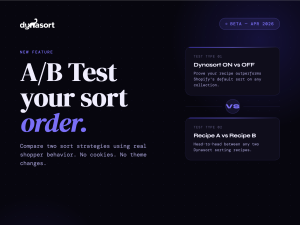
Ordering can, the same way collection sort order can: serve two ranking rules to split traffic and compare conversion. Test one variable with a success metric chosen before you start.
Dynasort ranks your recommendations with the same recipes that sort your collections, live on every request. Install it from the Shopify App Store or see recommendations in action.