Shopify collection page best practices come down to five decisions: what order products appear in, how many products the page carries, which filters exist, what the description says and where it sits, and how consistent the grid looks. Collection pages are your store’s aisles; most buying sessions pass through them, and the first two rows absorb a disproportionate share of the clicks. This guide covers all five decisions with the data behind each.
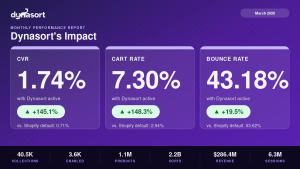
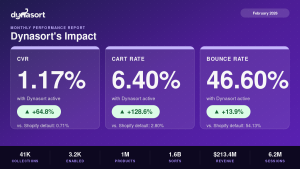
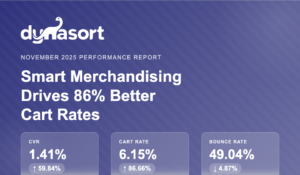
- Sort order is the highest-leverage setting on the page: sorted collections converted 92.65% better than default Shopify sorting across stores running Dynasort in June 2026.
- More products is not better: oversized collections measurably depress engagement (choice overload).
- Filters should speak customer language (“occasion”, “fit”), not your admin’s product types.
- Descriptions serve SEO and AI assistants, but must never push products below the fold.
What Does a High-Converting Collection Page Look Like?
Occasion
Fit
Size
Price
What Sort Order Converts Best?
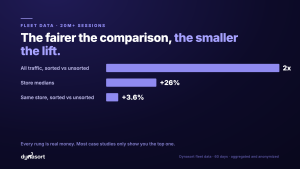
Sort order is the silent salesperson on every collection page, and the default options sell badly: “Manual” decays into chaos as the catalog changes, and “Best selling” lags demand, buries new products and ignores inventory (we broke down why in sorting by best selling). The orders that convert blend signals: recent sales velocity, stock position, margin, review ratings and newness, weighted for the collection’s job. Across stores running Dynasort, collections sorted this way converted 92.65% better than default Shopify sorting in June 2026.
How Many Products Should a Collection Page Have?
Fewer than you think. When we analyzed engagement across collection sizes in our choice overload study, oversized collections showed measurably weaker engagement: past a certain size, every added product dilutes attention rather than adding opportunity. The practical guidance from how many products should a collection have: split big generic collections into specific ones with a clear promise, and let a small catalog run fewer, richer collections instead of a taxonomy built for a catalog you do not have.
Which Filters Belong on a Collection Page?
Filters should match how customers think, not how your admin is organized. “Occasion,” “fit” and “material” out-convert internal product types every time, because shoppers arrive with a use case, not your taxonomy. Build filter values from the words in your search logs and reviews. And keep the filter count honest: every filter that almost nobody uses is visual noise on the row that matters.
Where Should the Collection Description Go?
Collection descriptions do real work for SEO and for AI assistants reading your catalog, but their placement is a conversion decision: long copy above the grid pushes products below the fold on mobile, which taxes every visit to help the occasional crawler. The pattern that serves both: one or two keyword-relevant sentences up top, products immediately visible, and the longer descriptive copy below the grid where engines and agents still read it.
Do Images and Grid Consistency Matter?
Mixed backgrounds and crops tank scannability; uniform grids read as trustworthy. Keep first images consistent in style and framing, and use badges (New, Bestseller, Low stock, Back in stock) sparingly and honestly to guide scanning: a grid where everything is badged has no badges at all.
How Do You Measure a Collection Page?
Per collection, not sitewide: conversion rate of sessions that viewed the collection, add-to-cart rate from the page, and click distribution by grid position (top rows dominating is normal; the question is whether the right products occupy them). Watch weekly trends, not daily swings. If your analytics cannot answer “did re-sorting this collection help,” you are flying blind on the highest-leverage setting the page has.
Frequently Asked Questions
Does changing the collection sort order hurt SEO?
No. Product order on a collection page is not a ranking factor for the page, and reordering products does not change the page’s URL, title or indexed content. We covered the detail in does collection sorting affect SEO.
Do collection descriptions actually help SEO?
Yes: they are often the only crawlable prose on the page, they define what the collection is about for search engines and AI assistants, and they support the title and heading. Placement matters more than length; see above.
What is a good conversion rate for a collection page?
Baselines vary too much by vertical and traffic mix for a universal number. Benchmark each collection against your own store average, then judge changes against that baseline over full weeks.
Data referenced: June 2026 performance report, the choice overload study.
Dynasort keeps every collection’s first rows earning their spot. Install it from the Shopify App Store or see collection sorting in action.