Yesterday we announced Dynasort Search. Today we are opening the hood, because the architecture is the whole story. Dynasort Search is not a second search engine bolted onto your store. It is a re-ranking layer that sits on top of the search engine Shopify already runs for you.
Every search is really two jobs
When a shopper types “linen shirt”, two separate questions need answering. First: which products match? That is membership, and it is genuinely hard. It means handling typos, applying synonyms, and respecting any filters the shopper has applied. Second: in what order should the matches appear? That is ranking, and it is a business question, not a text question.
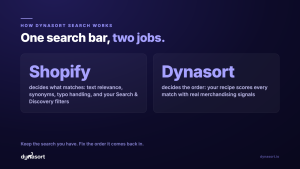
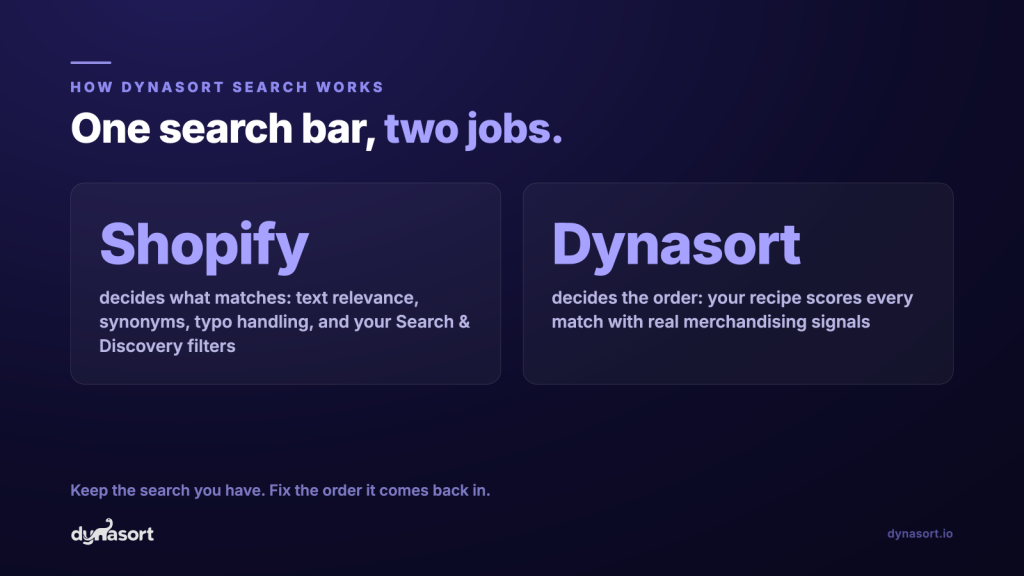
We split the two jobs cleanly. Shopify’s search engine keeps the membership job: it decides which products match a query, including synonyms, typo handling, and the filters shoppers use to narrow down. Dynasort takes that matched set, scores every product with your active search recipe, and re-orders it. Then we render the results grid and the predictive dropdown in your theme. That is search re-ranking, and it is all we do.
One search, four steps
Shopify answers “what matches”. Your recipe answers “in what order”. Your theme stays your theme.
Shopper searches
“linen shirt” typed on your storefront, results page or as-you-type.
Shopify finds the matches
Membership, synonyms, typo handling, and Search & Discovery filters.
Your recipe scores them
recent salesinventorynewnessmargincustom attributes
Your order, in your theme
Results grid and predictive dropdown rendered with fresh prices and stock.
No second index, no sync jobs, no migration. If Shopify can find it, Dynasort can rank it.
What a search recipe actually scores
A search recipe scores every matching product on the merchandising signals you choose and weight. Out of the box that includes recent sales over the last 7 and 30 days, all-time sales, inventory depth measured in variants in stock, newness measured by the age of the newest variant and days since published, on-sale status, sold-out status, margin, and price.
Then there are custom attributes: any product data you can express, you can rank by. Tags, metafields, even a spreadsheet upload. A common recipe choice is sold-out demotion, which pushes sold-out items to the bottom of the results instead of hiding them, so shoppers still find the product but never hit a dead end in slot one.
What we deliberately did not build
We could have built our own search engine with its own index of your catalog. We chose not to, and we consider that the best decision in the whole product. Here is what not replacing Shopify’s engine buys you:
- No index drift. There is no second copy of your catalog to sync, so a product can never exist in one engine and be missing from the other. No sync jobs, no migration, nothing to babysit.
- Your synonyms keep working. Anything you configured in Shopify’s free Search & Discovery app flows through automatically.
- Your filters keep working. The filter definitions you set up in Search & Discovery render on the Dynasort results page and narrow results exactly as before.
- Nothing to unlearn, and nothing risky to undo. Shopify keeps answering “what matches” the way it always has, so removing Dynasort simply returns you to the default order. No re-indexing, no rebuild.
Fast, and never stale
Both surfaces are built for speed. The full results page re-ranks the complete matched set. The predictive dropdown re-ranks a smaller candidate set, because as-you-type has to feel instant.
Ranked results are cached briefly, about 15 minutes per query and recipe, so warm queries serve in tens of milliseconds. The product cards themselves, price and stock included, are always built fresh, so a shopper never sees a stale price or a phantom “in stock”. And because the cache is keyed to your recipe version, editing a recipe takes effect immediately. Change a weight, run the search again, see the new order.
Honest caveat: new stores start plain
Re-ranking is only as sharp as the data behind it. On a brand-new store with little sales history, many products score the same, and tied scores need a tie-breaker. You can choose “Shopify relevance” as that tie-breaker, so on thin data the order gracefully degrades toward Shopify’s default instead of something arbitrary. The system is designed to degrade gracefully, and it gets sharper as your sales and inventory data accumulate.
Every serve is measured
Every search Dynasort serves is logged: which recipe served it, what was shown, what got clicked, and what got added to cart. That powers per-recipe performance stats, and it powers A/B testing, built into Dynasort, where two recipes run head-to-head on live traffic so you can see which order actually sells.
Setup is three clicks, not a project
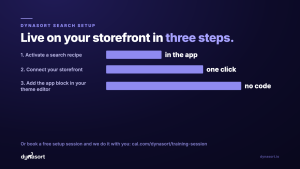
Because there is no index to build, setup is short: activate a search recipe, connect your storefront with one click, and add the app block plus the live search embed in your theme editor. No code. Rather do it on a screen share? Book a free setup session and we will configure it with you.
Install Dynasort free for 30 days or read the search docs. Tomorrow: the data, what fleet-scale search behavior says about default ordering, and how Dynasort Search compares with the other search platforms you have heard of.